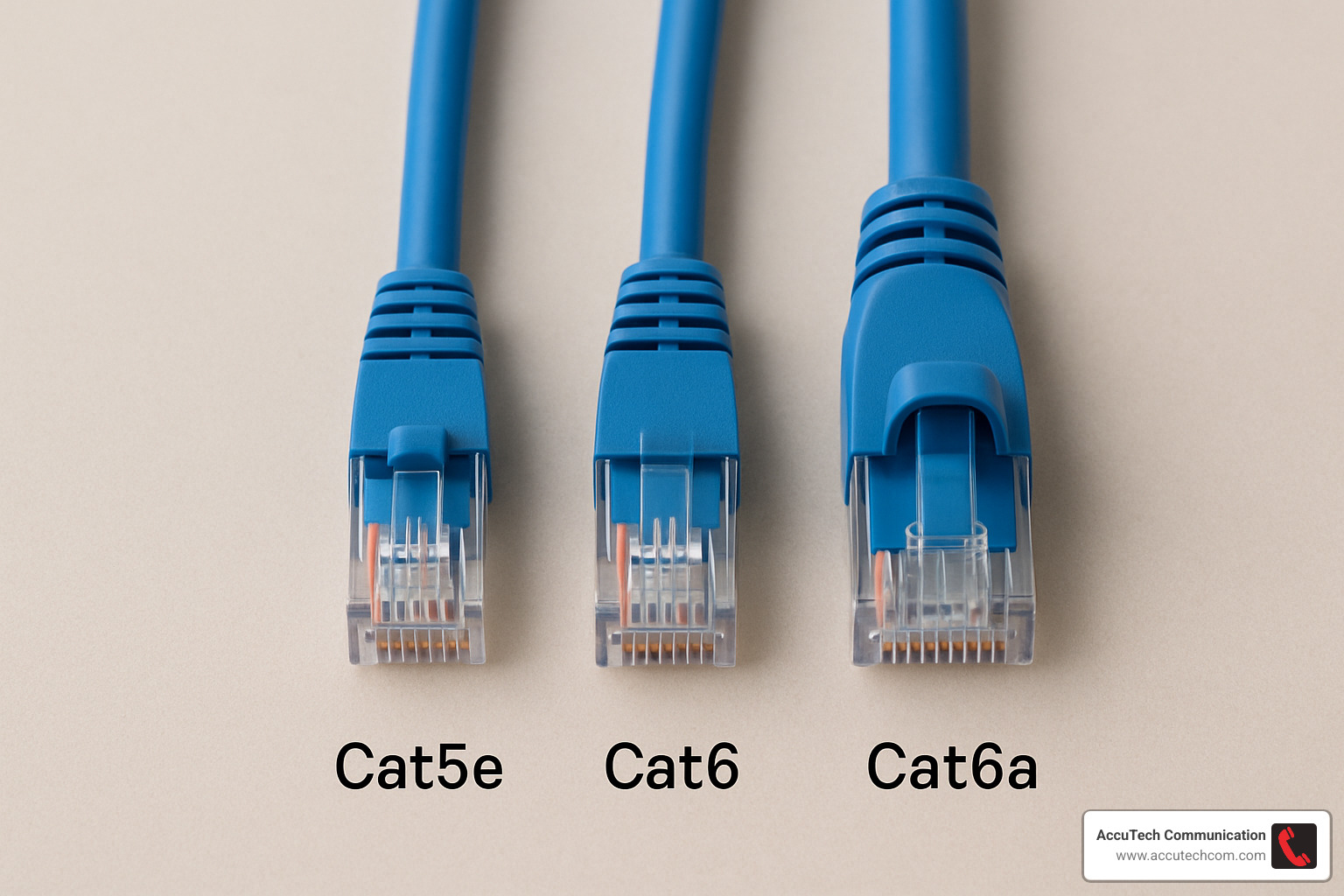
Let’s be honest. Walking into an electronics store or scrolling through endless listings online for network cables feels a bit like trying to read a foreign language. You just want your internet to work. You want your games to load fast and your 4K movies to stream without that annoying buffering wheel. But then you see it. Cat6. Cat6a. Maybe even Cat7 if you’re feeling fancy. The prices jump around, the descriptions throw terms like "shielding" and "bandwidth" at you, and suddenly you’re wondering if buying the cheaper option means you’re sabotaging your own home network.
It’s stressful. Nobody wants to spend hours running wires through their walls only to realize six months later that they bought the wrong stuff. Or worse, overspending on premium gear that sits there doing absolutely nothing special because your router can’t even use it. I’ve talked to dozens of homeowners, IT managers, and even professional cabling crews who all say the same thing: most people are guessing. They pick based on fear—fear of missing out on speed—or they pick based on the lowest price tag, hoping for the best.
Here is the good news. You don’t need to be an electrical engineer to get this right. In fact, the answer is usually simpler than the marketing brochures make it seem. By the time you finish reading this, you’ll know exactly which cable fits your life, your budget, and your future plans. No fluff. No upselling. Just the straight talk on how to choose between Cat6 and Cat6a without wasting a single dime.
The Speed Myth and What Actually Matters
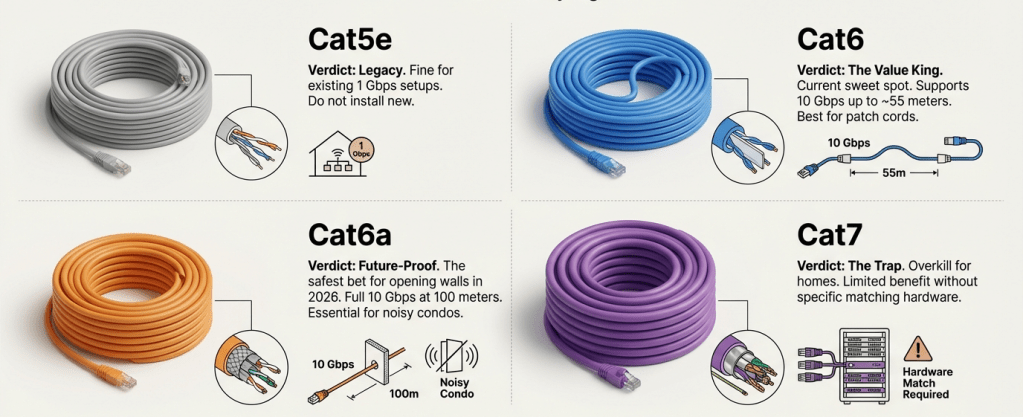
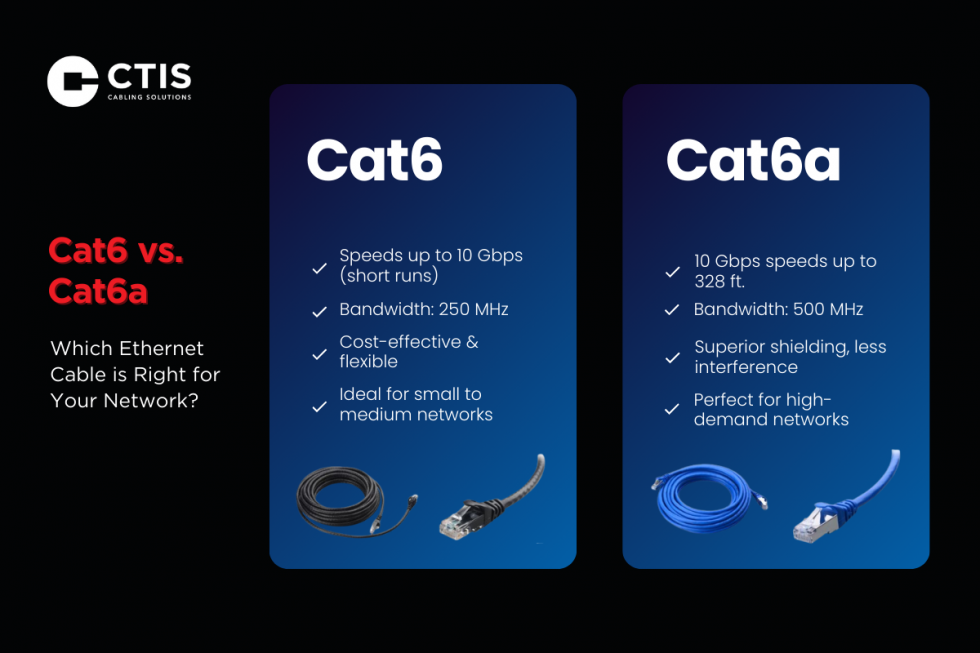
First, let’s clear up the biggest confusion. Speed. Everyone talks about gigabits and 10-gigabits like it’s the only thing that counts. And sure, on paper, Cat6a looks way better. It’s rated for 10 Gigabits per second (10Gbps) up to 100 meters. Cat6? It’s technically rated for 1Gbps up to 100 meters, but it can do 10Gbps… if you keep the run under 55 meters (about 180 feet).
So, does that mean Cat6 is trash? Absolutely not. For ninety percent of homes and small offices in 2026, 1Gbps is still blazing fast. Think about it. Most residential internet plans top out at 1Gbps or maybe 2Gbps if you’re lucky. Even if you have a super-fast fiber connection, your devices—the laptop, the phone, the smart TV—probably aren’t pushing more than a fraction of that continuously. Unless you are moving massive video files between servers in your basement every day, you likely won’t notice the difference between 1Gbps and 10Gbps in daily browsing or streaming.
But here is where it gets tricky. If you are a content creator, a data hoarder with a NAS (Network Attached Storage), or you just love having the absolute fastest local network possible, that 10Gbps capability matters. But remember the distance rule. If your house is smaller, or the cable run from your router to your PC is short (under 55 meters), standard Cat6 can actually handle 10G speeds just fine. You don’t automatically need the "a" version unless you have long runs or want guaranteed 10G performance everywhere. It’s not about the label; it’s about the length of the wire and what you’re actually doing with it.
The Hidden Cost of Installation and Labor
Let’s talk money. Not just the cost of the cable spool, but the real cost. Because here is a secret contractors won’t always lead with: the cable itself is cheap. The labor is expensive. If you are hiring someone to pull wires through your walls, attic, or crawl spaces, you are paying for their time. And Cat6a is a beast to work with.
Cat6a cables are thicker. They are stiffer. They have more copper and often include shielding (we’ll get to that in a sec). This makes them harder to bend around corners and tougher to push through tight conduits. A professional installer might charge 20% to 30% more per drop for Cat6a simply because it takes longer and requires more effort to terminate properly. If you are doing it yourself, you’ll find your hands getting tired faster, and you might break a few connectors while learning.
Consider this scenario. You have a 2,000 square foot home. You need eight drops. Cat6 cable might cost you $150 total. Cat6a might cost $250. That’s a $100 difference in materials. But if you hire a pro, the labor for Cat6 might be $800, while Cat6a could push it to $1,100 or more. Suddenly, that "small" upgrade is costing you $400+. Is that worth it? Only if you truly need the extra performance. If you’re on a tight budget, that $400 could buy you a really nice Wi-Fi 7 access point or a better switch. Don’t blow your whole budget on copper when you could spend it on active gear that makes a visible difference today.
Interference and The Shielding Trap
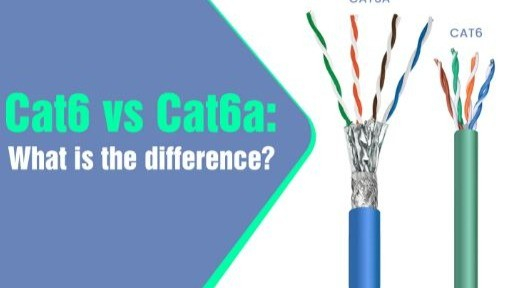
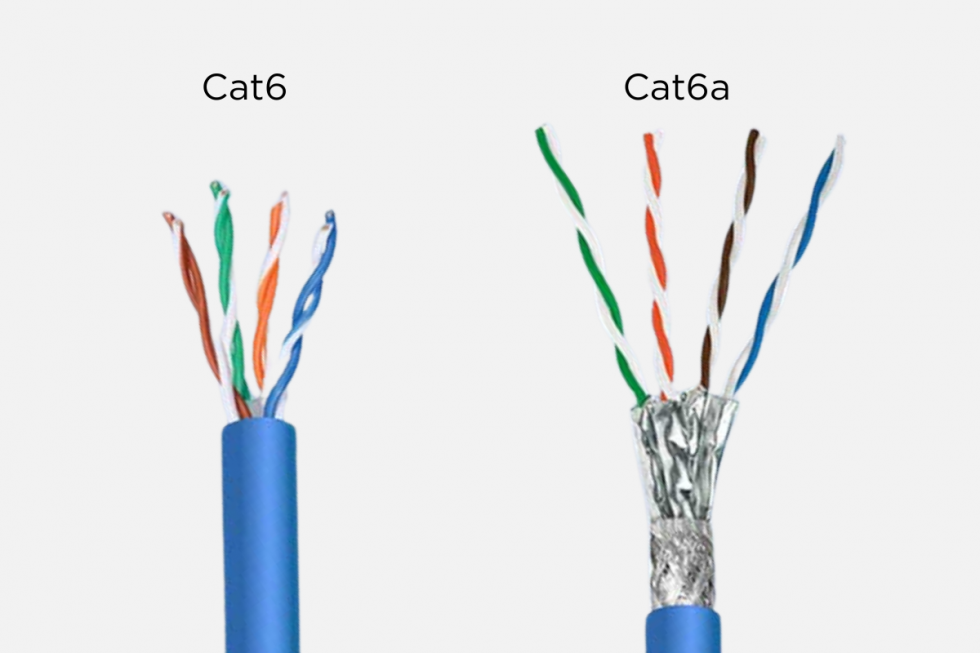
You’ll see the term "shielded" thrown around a lot with Cat6a. Usually, it’s labeled as F/UTP or S/FTP. This means there is foil or braiding around the pairs of wires inside. Why? To stop interference. In big office buildings with thousands of cables bundled together, or near heavy machinery, this interference (called crosstalk) can slow things down. Cat6a almost always has some form of shielding to guarantee that 10G speed over long distances.
Cat6, on the other hand, is usually unshielded (UTP). For a typical home, this is perfectly fine. Your walls aren’t packed with high-voltage industrial equipment. You probably don’t have fifty other ethernet cables running parallel to yours in a tight bundle. So, do you need the shielding? Probably not. In fact, in a home environment, shielded cable can sometimes cause more problems than it solves if you don’t ground it correctly. Improper grounding can turn the shield into an antenna, picking up noise instead of blocking it.
There is a middle ground though. Some newer Cat6 cables come with a spline (a plastic separator in the middle) or slight shielding tweaks to help with performance. These are often called "Cat6 Enhanced" or similar marketing names. They aren’t full Cat6a, but they handle interference better than basic Cat6. If you are running cables next to power lines or in a particularly noisy electronic environment, look for these hybrids. But don’t assume you need full industrial-grade shielding just because you have a microwave oven nearby. It’s overkill for most residential setups and adds unnecessary bulk and cost.
Future-Proofing: Wi-Fi 7 and PoE Power
Here is where the conversation shifts to 2026 realities. Wi-Fi 7 is now mainstream. Those new access points are incredibly fast, but they need a strong backbone. Many high-end Wi-Fi 7 access points require a 2.5Gbps or even 10Gbps uplink to perform at their peak. If you plug a Wi-Fi 7 AP into a old Cat5e line, you’re choking it. Cat6 handles 2.5Gbps easily. It handles 10Gbps for short runs. So, for most ceiling mounts in a average house, Cat6 is still a solid choice.
However, there is another factor: Power over Ethernet (PoE). Modern devices like security cameras, smart lights, and yes, Wi-Fi access points, draw power through the cable. Newer standards like PoE++ (802.3bt) can deliver up to 90 watts of power. Thicker cables handle heat better. Cat6a, with its thicker gauge copper (usually 23 AWG vs 24 or 26 AWG for thinner Cat6), dissipates heat more effectively. If you are planning to power multiple high-wattage devices over long runs, Cat6a gives you more headroom. It’s safer and more efficient.
So, ask yourself: What are you plugging in? If it’s just laptops and phones, Cat6 is great. If you are building a smart home with lots of powered devices, or you want to ensure your Wi-Fi 7 APs never hit a bottleneck, leaning toward Cat6a for those specific critical runs makes sense. You don’t have to do the whole house. Just the key spots. This hybrid approach saves money while keeping your future options open. It’s about being smart, not blanket-buying the most expensive option.
The Hybrid Strategy: Best of Both Worlds
This is the tip that saves people the most money. You do not have to pick one cable for every single room. Networks are not all-or-nothing. You can mix and match. Think about your usage patterns. Where do you actually need extreme speed?
For most people, the "critical" runs are:
- From the modem/router to the main switch or server rack.
- From the switch to any desktop PC used for gaming or video editing.
- From the switch to the main Wi-Fi access point.
For these three or four drops, splurge on Cat6a. Get the full 10G capability. Ensure low latency and maximum throughput. It’s a small cost for the backbone of your system.
Now, look at the rest of the house. The smart TV in the guest room. The printer in the office. The security camera in the hallway. The iPad charging station. Do these need 10Gbps? No. They barely need 100Mbps. Run standard Cat6 to these locations. It’s cheaper, easier to install, and more than adequate for the task. By using this hybrid method, you might only buy 20% Cat6a and 80% Cat6. You get the performance where it counts, and you save 40-50% on your total material costs compared to wiring the whole house with Cat6a. It’s the smart play.
Also, consider the jack and patch panels. Make sure the keystone jacks you buy match the cable category. Putting a Cat6 jack on Cat6a cable degrades the performance. But putting a Cat6a jack on Cat6 cable is fine (just a waste of money on the jack). Keep the endpoints consistent with the cable quality for that specific run. Don’t bottleneck your expensive Cat6a run with a cheap connector.
Common Mistakes That Waste Cash
Even with the right cable, people mess up the installation and waste their investment. One huge mistake is buying pre-made patch cables of poor quality for the final connections. You might run beautiful Cat6a in the walls, but then plug in a thin, flimsy Cat5e patch cord from a bargain bin to connect your PC. That cheap cord becomes the weak link. Always match your patch cables to your wall cable quality. If you ran Cat6a, buy certified Cat6a patch leads. It’s a small cost that ensures you get what you paid for.
Another error is ignoring the bend radius. Ethernet cables hate sharp turns. If you staple a cable too tightly around a corner or zip-tie it until it’s crushed, you distort the internal pairs. This causes signal reflection and errors. Cat6a is stiffer, so it’s even more prone to this. Use gentle curves. Use velcro ties instead of tight plastic zip ties. Let the cable breathe. A damaged Cat6a cable performs worse than a well-installed Cat6 cable. Respect the physics of the wire.
Finally, don’t forget to test. You can buy a basic network tester for twenty bucks. After you terminate the ends, test every single run. It takes seconds. If you skip this, you might close up the walls and realize later that one room has no connection. Finding a bad crimp before the drywall goes up saves you a nightmare. And if you’re hiring a pro, demand certification reports. They should use a professional scanner to prove the line meets Cat6 or Cat6a specs. If they can’t show you the data, don’t pay the full price. Hold them accountable. It’s your money.
So, where does this leave you? It comes down to two questions: How long do you plan to stay in this home, and what do you do online?
If you are renting, or you plan to move in three years, stick with Cat6. It’s cheaper, easier to remove or leave behind, and it handles everything current tech throws at it. You won’t regret saving the cash. If you are building your dream home, planning to stay for ten plus years, and you have the budget, go with Cat6a for the main lines. It’s an insurance policy against future speed demands. But even then, use the hybrid model. Save the premium cable for the heavy hitters.
Remember, technology moves fast. In five years, we might all be on Wi-Fi 8 or fiber-to-the-desk. Don’t overspend trying to predict the unpredictable. Build a solid foundation with Cat6 where it makes sense, upgrade the critical paths to Cat6a, and invest the savings in good quality switches and routers. That balance gives you a network that feels fast today, remains reliable tomorrow, and didn’t drain your bank account. You’ve got this. Now go get those cables terminated right.