You know that feeling when you’re on a video call, the cat is streaming a live feed from the backyard, and your partner tries to load a 4K movie all at once? And suddenly, everything just… stops. The screen freezes. The audio glitches. It’s frustrating, right? For years, we’ve been told that buying a faster router would fix it. But in 2026, with homes full of dozens, sometimes hundreds, of connected devices, the old rules don’t really apply anymore.
Enter WiFi 7. It’s been buzzing around tech circles for a while now, promising speeds that sound almost made up. But does it actually matter for your average Tuesday night? If you’re living in a house packed with smart lights, cameras, fridges, and laptops, the answer is a resounding yes—but maybe not for the reasons you think. It’s not just about raw speed. It’s about capacity. It’s about keeping the peace in a digital household.
Let’s cut through the marketing noise. You don’t need a degree in network engineering to understand what’s happening here. You just need to know what works. After looking at countless reviews, lab tests, and real-world setups from sources like WIRED, PCMag, and Dong Knows Tech, a clear picture has emerged. WiFi 7 mesh systems aren’t just a luxury for gamers anymore. They’re becoming the backbone of the modern smart home. But they aren’t perfect, and they aren’t cheap. So, let’s talk about the truth.
Why Your Old Router Is Struggling (Even If It Says WiFi 6)
Remember when having ten devices on your network felt like a lot? Those days are long gone. Today, a typical smart home might have thirty or forty connected items. Your phone, laptop, tablet, smart TV, thermostat, doorbell, locks, lights, speakers, and maybe even a smart coffee maker. Each one of these devices is constantly chatting with the internet, sending tiny bits of data back and forth.
Older routers, even the good ones from the WiFi 6 era, handle this by taking turns. It’s like a single-lane bridge. Cars (data) have to wait for their turn to cross. When traffic is light, it’s fine. But during rush hour—when everyone is home and online—the line gets long. Latency spikes. Videos buffer. That’s congestion. WiFi 7 changes the game by widening the bridge. It introduces something called Multi-Link Operation (MLO).
Think of MLO like adding extra lanes to that bridge. Instead of waiting for one lane to clear, your device can send data across multiple bands at the same time. This doesn’t just make things faster; it makes them more reliable. According to recent tests by TechGearLab, this feature is a lifesaver in crowded networks. It ensures that your video call doesn’t drop just because someone started downloading a large file in the other room. It’s about efficiency, not just brute force.
The Mesh Factor: Coverage vs. Capacity
Here’s where things get tricky. A single WiFi 7 router is powerful, sure. But if you live in a two-story house with thick walls, or a sprawling ranch-style home, one box won’t cut it. Signals weaken as they pass through materials. Drywall is okay. Brick and concrete? Not so much. This is why mesh systems exist. They use multiple nodes (small routers) placed around your home to create a seamless blanket of coverage.
But not all mesh systems are created equal. In the past, many mesh systems sacrificed speed for range. The further you got from the main router, the slower your connection became. WiFi 7 mesh systems, particularly the premium ones like the Netgear Orbi 770 Series or the Asus ZenWiFi ET12, solve this by using dedicated backhaul channels. Imagine a private highway reserved just for communication between the nodes. Your devices don’t clog this highway. It stays open, ensuring that the node in your basement talks to the main unit upstairs just as fast as your phone does.
FindingDulcinea’s recent review of premium systems highlighted this point clearly. They found that high-end WiFi 7 meshes maintained consistent speeds throughout large homes, whereas cheaper options saw significant drops in performance at the edges. If you have a home over 2,500 square feet, this distinction matters. You don’t want fast WiFi in the living room and sluggish WiFi in the bedroom. You want it everywhere. That’s the promise of a well-designed mesh.
Top Contenders in 2026: What Actually Works?
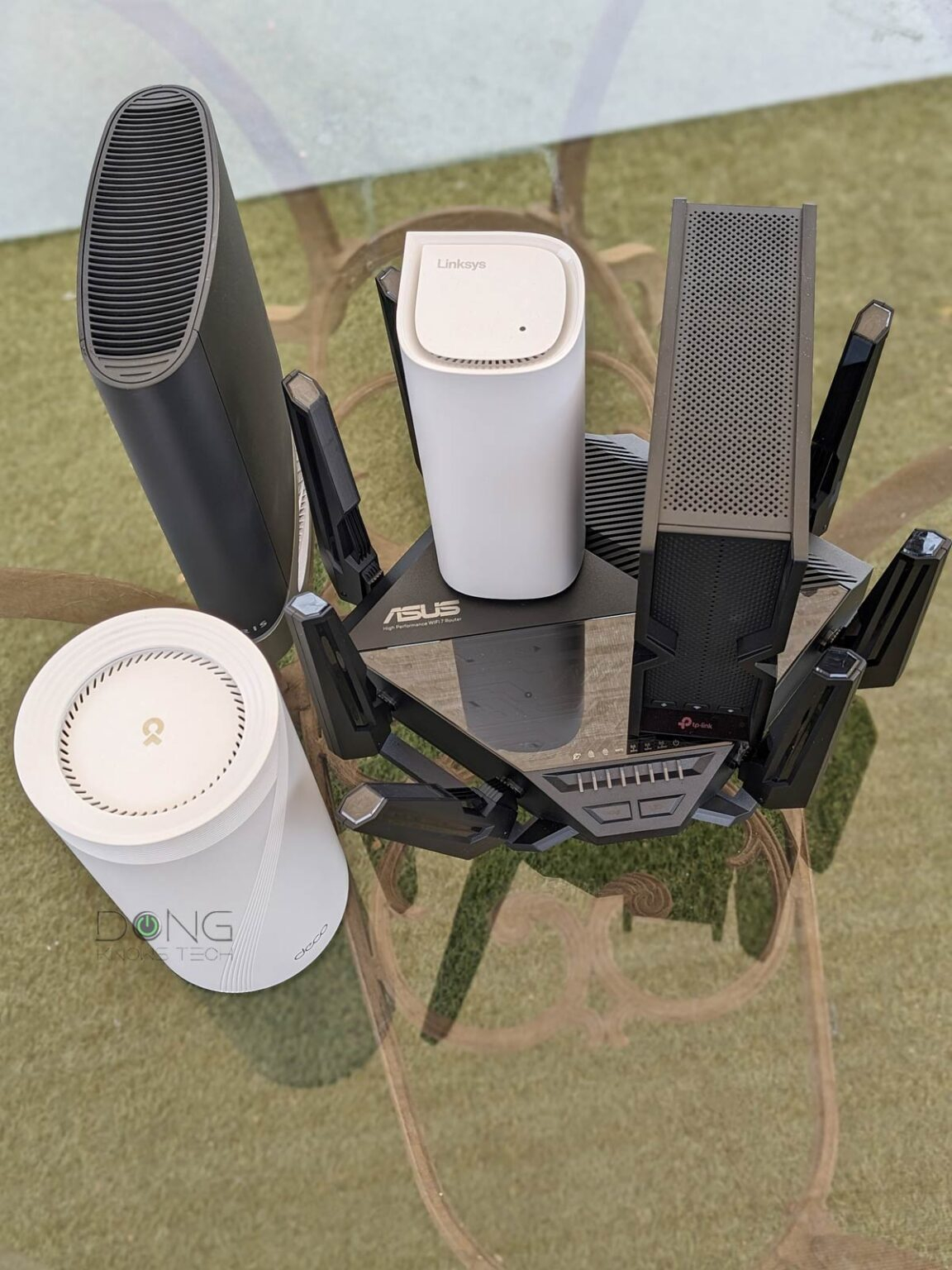
So, which systems should you look at? The market is flooded with options, but a few stand out based on rigorous testing from sources like Cybernews and Tom’s Guide. First, there’s the Netgear Orbi 770 Series. WIRED named it a top pick for good reason. It’s expensive, yes, but it delivers rock-solid performance. It’s ideal for those who want a "set it and forget it" solution. The app is user-friendly, and the coverage is extensive. It’s a tank.
Then there’s the TP-Link Deco BE63. This system offers a compelling balance of price and performance. Digitechbytes recommended it for users who want WiFi 7 features without breaking the bank. It supports a high number of devices and handles smart home traffic well. It’s not quite as powerful as the Orbi in extreme scenarios, but for most families, it’s more than enough. It’s a solid middle-ground choice.
Don’t sleep on the Amazon eero Pro 7 either. If you’re already deep in the Amazon ecosystem, this system integrates beautifully. Meter.com noted its ease of setup and reliable smart home handling. It’s less about raw benchmark numbers and more about everyday usability. For people who don’t want to tweak settings or manage complex networks, eero is a fantastic option. It just works. And in the world of tech, that’s a huge selling point.
Do You Really Need WiFi 7? The Smart Home Reality Check
Let’s be honest. WiFi 7 is overkill for some people. If you live in a small apartment with three devices, you probably don’t need it. WiFi 6E is still very capable. But if you’re reading this, you likely have a "home packed with smart tech." That changes the equation. Smart homes generate a unique type of traffic. It’s not always high-bandwidth, but it is high-frequency.
Consider your security cameras. They’re constantly uploading video. Your smart speakers are always listening for wake words. Your thermostats are adjusting based on sensors. These devices create a constant hum of data activity. WiFi 7’s improved efficiency handles this hum better than previous generations. It reduces interference. It manages queueing better. This means your smart lock responds instantly when you tap your phone, rather than taking three seconds to connect.
PropelRC’s testing of mesh systems in large homes showed that WiFi 7 systems handled device loads significantly better than WiFi 6 counterparts. When they pushed networks to 50+ devices, the WiFi 7 systems maintained lower latency and higher stability. If you plan to add more smart gadgets in the future—and let’s face it, you probably will—investing in WiFi 7 now is a form of future-proofing. It’s buying headroom.
The Cost of Entry: Is It Worth the Premium?
There’s no sugarcoating it. WiFi 7 mesh systems are pricey. A decent three-pack can run you anywhere from $500 to over $1,000. The Netgear Orbi 970, for instance, sits at the top end of that spectrum. Is it worth it? That depends on your budget and your pain points. If you’re currently pulling your hair out due to dead zones and dropped connections, then yes. The quality of life improvement is tangible.
However, if your current network is "okay," you might want to wait. Prices will come down. Technology always gets cheaper over time. But remember, you’re not just paying for speed. You’re paying for reliability. You’re paying for the ability to work from home without worrying about your connection dropping during a crucial presentation. You’re paying for the peace of mind that your security cameras are actually recording.
Look for sales. Retailers often discount older models when new ones launch. But be careful not to buy last-gen tech if you’re specifically seeking WiFi 7 benefits. Also, consider your internet plan. If you’re paying for 1Gbps internet, a WiFi 7 system can fully utilize that speed wirelessly. If you’re on a 100Mbps plan, you won’t see the full benefit. Match your hardware to your service. It’s a common mistake to buy a Ferrari engine for a go-kart.
One of the biggest fears people have about upgrading their network is the setup process. Will it be complicated? Will I need to call IT support? Fortunately, modern mesh systems are designed for humans, not engineers. Most use simple mobile apps that guide you step-by-step. You plug in the main node, download the app, and follow the prompts. Then you place the satellite nodes where the app suggests. It’s usually done in under thirty minutes.
Placement is key, though. Don’t hide your nodes in cabinets or behind TVs. They need breathing room. Ideally, place them in open areas, roughly halfway between the main router and the dead zones you’re trying to fix. Avoid placing them near microwaves or cordless phones, which can cause interference. A little thought goes a long way. As Dong Knows Tech pointed out, proper placement can improve performance by up to 30% compared to haphazard setup.
Once it’s running, maintenance is minimal. Most systems update automatically. You might want to check the app occasionally to see if any firmware updates are available or to monitor device usage. But generally, you can set it and forget it. If you do experience issues, a simple reboot often fixes them. Modern mesh systems are robust. They’re built to run for months without intervention. Just let them do their job.
Upgrading to a WiFi 7 mesh system isn’t just about chasing the latest tech trend. It’s about solving real problems in real homes. As our lives become more connected, our networks need to evolve. WiFi 7 offers the capacity, speed, and reliability that modern smart homes demand. It’s not magic, but it’s close.
If you’re struggling with dead zones, lag, or disconnected devices, it’s time to consider the upgrade. Look at the top contenders like the Orbi 770, TP-Link Deco BE63, or eero Pro 7. Assess your home’s size and your device count. Be realistic about your budget. And remember, the goal isn’t just faster speeds. It’s a smoother, more seamless digital experience.
In the end, the best network is the one you don’t notice. It’s the one that just works, whether you’re streaming, working, or sleeping. WiFi 7 mesh systems bring us closer to that ideal. They handle the chaos of our connected lives with grace. So, take a breath. Look at your options. And choose the system that fits your life. Your future self, sitting in a dead-zone-free living room, will thank you.